
Why do we still struggle with basic digital workflows when our smartphones possess more processing power than early 2000s supercomputers? The answer is straightforward: despite hardware advancements, core productivity bottlenecks persist because users frequently rely on bloated, all-in-one software platforms rather than specialized utility applications. To achieve true efficiency, professionals must prioritize purpose-built apps that guarantee privacy, rapid execution, and exact functionality.
In my experience as a UX researcher, the friction users face rarely comes from a lack of features. Instead, it stems from interface complexity. When a single application tries to manage your calendar, scan your documents, and handle your messaging, the cognitive load required to execute a simple task skyrockets. This is where the philosophy of specialized utility software proves its immense value.
What does the 2026 software ecosystem look like for mobile utility?
The global transition toward mobile-first business operations has fundamentally shifted how developers build and how users consume software. According to Itransition's 2026 market projections, mobile devices now account for over 53.52% of the global platform share. Yet, simply having a mobile version of desktop software is no longer sufficient.
Furthermore, Deloitte's 2026 Global Software Industry Outlook highlights that financial pressures and the rapid adoption of agentic AI are forcing companies to move toward AI-first engineering. For everyday users, this means apps are becoming faster and more capable behind the scenes. However, Anthropic's 2026 trends report notes that this rapid advancement brings a dual-use risk, necessitating a security-first architecture. When apps handle sensitive data—like personal phone numbers or legal documents—broad, multi-purpose platforms often present larger attack surfaces. Specialized apps, built with a narrow, highly secure focus, mitigate this risk.
How do you solve the digital document dilemma?
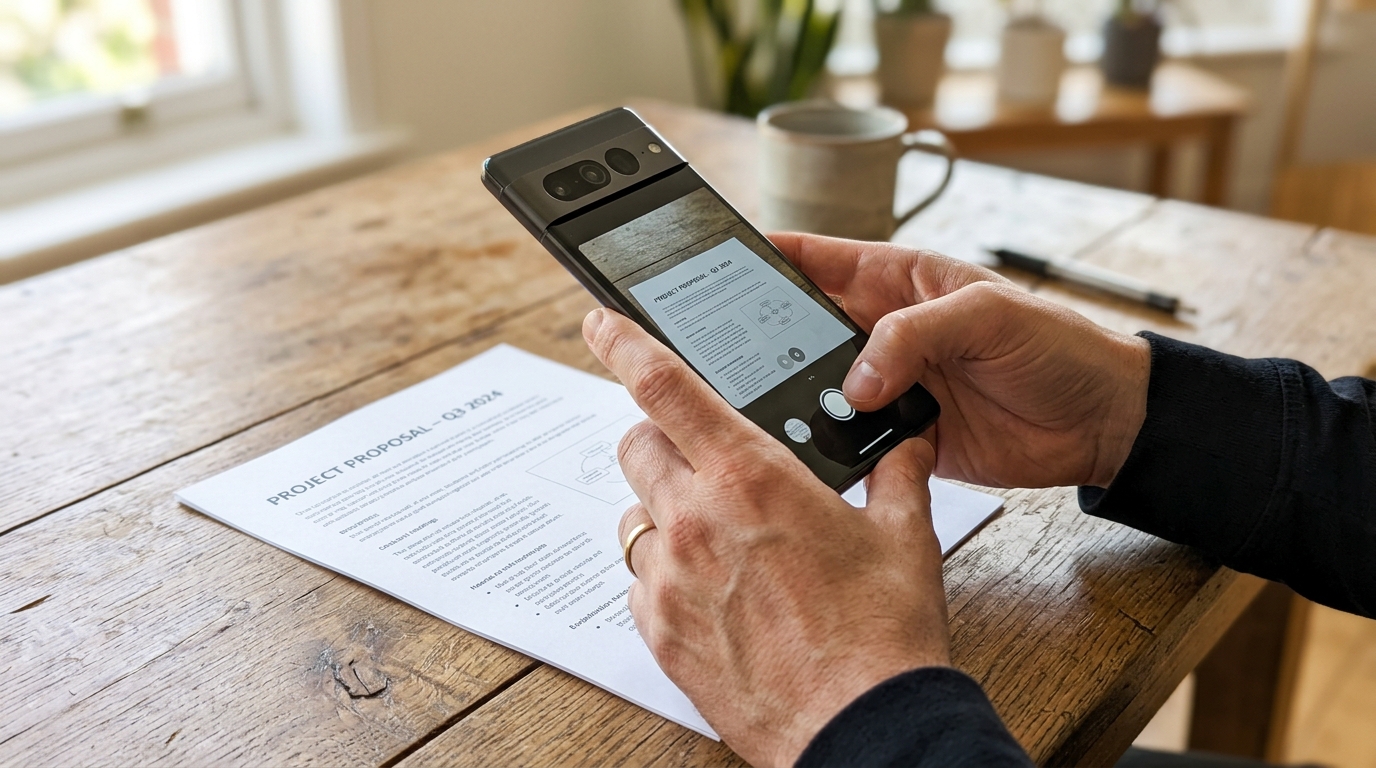
Digitizing physical paperwork remains a persistent pain point for mobile professionals. A common counterargument I hear is that modern smartphone cameras are advanced enough to handle document capturing natively. While the hardware is impressive, the native software is rarely optimized for professional document management.
Using your phone's native cam to simply photograph a contract results in distorted angles, poor contrast, and massive file sizes that are difficult to email. To effectively scan and store multi-page docs, users need a dedicated scanner engine capable of precise edge detection, perspective correction, and optical character recognition (OCR).
When selecting a tool for this job, the selection criteria should be stringent. A specialized docs PDF scanner app focuses entirely on this workflow. It removes the guesswork by automatically adjusting lighting and instantly converting the image into a standardized, shareable format. The utility is immediate and singular.
Why is securing secondary communication still so complex?
Communication workflows present a completely different set of UX challenges. As remote work and independent contracting continue to grow, the boundaries between personal and professional lives blur. Professionals urgently need a way to compartmentalize their communication without carrying two physical devices.
Our UX testing frequently reveals that hardware fragmentation plays a massive role in user frustration. A communication tool must perform reliably across various device generations. Whether a user is operating an aging iPhone 11, transitioning to a standard iPhone 14, or utilizing larger formats like an iPhone 14 Plus or a modern flagship, the interface and call quality must remain consistent.
Network dependencies also complicate matters. A secondary line must function securely whether the user is on corporate Wi-Fi or relying on a cellular carrier like T-Mobile while in transit. This is why a purpose-built second phone number for text and call provides a cleaner solution than trying to manage dual SIMs or sharing a personal number. It creates a dedicated, virtual environment for business interactions that can be muted or customized independently from the primary device functions.

Where do legacy formats like fax fit into modern workflows?
It is a frequent source of amusement in the tech industry that faxing refuses to die. In legal, medical, and real estate sectors, fax remains a mandatory protocol for transmitting secure, legally binding documents. However, owning physical fax hardware in 2026 is entirely impractical.
The solution here is not to force users onto complex enterprise platforms that happen to include fax functionality hidden deep within a settings menu. The ideal UX approach is a highly focused app to send and receive faxes directly from a mobile interface. By treating the smartphone as the terminal, users can attach a PDF, enter a destination number, and receive confirmation within seconds, completely eliminating the need for stationary hardware.
What should users prioritize when evaluating everyday apps?
As my colleague Cem Akar recently covered in detail regarding what users should prioritize when choosing utility mobile apps, evaluating mobile software requires a shift in mindset. You must evaluate the tool based on how quickly it allows you to enter, execute the task, and exit.
When curating your professional toolkit, I recommend applying this straightforward decision framework:
- Task Isolation: Does the application focus on doing one job exceptionally well, or does it try to upsell you on unrelated features?
- Device Agnosticism: Is the performance consistent across different hardware tiers?
- Data Privacy: Is the architecture designed specifically to secure the type of data (documents, communications) it handles?
- Interface Speed: How many taps are required to complete the primary action from the moment the app opens?
How does Codebaker support this utility-first philosophy?
At Codebaker, we approach mobile software development from the perspective of the end-user's daily friction points. As a company dedicated to building practical applications, we recognize that our users don't want to spend time managing their software; they want their software to manage the task.
Our portfolio of apps is designed intentionally around task isolation. By providing discrete tools for scanning, secondary communication, and faxing, we allow users to build a modular, highly efficient mobile workstation. The goal is never to trap the user in a walled garden, but rather to provide exact solutions that execute flawlessly and step out of the way.